Pad Print, Laser or UV: Picking a Logo Method for a Custom USB Drive Body
A custom USB drive can ship with a logo that looks perfect in the proof and muddy on the bulk run — not because the printer slipped, but because the print method and the body material were never matched on purpose. The three methods buyers actually get quoted — pad print, laser engraving, and UV print — behave completely differently on ABS, soft PVC, aluminium, and wood. This guide explains what each one does to the surface, which body it suits, and the artwork rules that keep a second order identical to the first.
What each method does to the surface
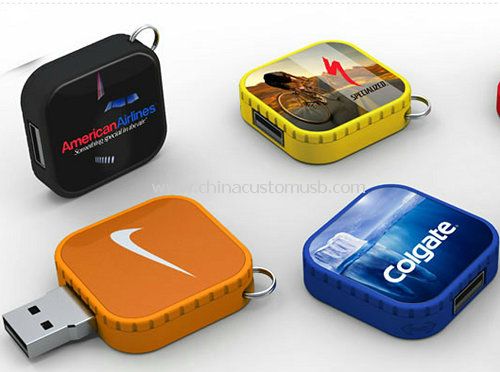
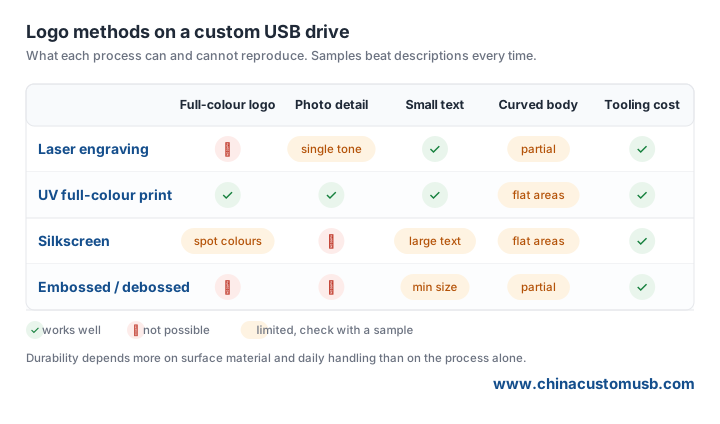
Pad print uses a silicone pad to lift ink from an engraved plate and press it onto the body. The ink sits on top as a thin, slightly raised layer you can feel with a fingernail. It is the most forgiving method on curves and uneven faces, which is why it dominates soft-PVC and moulded shapes. The cost is colour: each spot colour is a separate plate and a separate pad stroke, so a four-colour logo means four setups and four drying stations.
Laser engraving removes or discolours a thin surface layer with a focused beam. There is no ink and no raised mark — the logo is part of the body and cannot wear off. On anodised aluminium it burns away the colour to show bare silver; on painted plastic it scorches the coating; on bare metal it etches a crisp groove. The catch: it only shows where there is colour contrast, so a logo on clear or white unpainted plastic simply disappears. It is vector-only — a path burn, not a fill — so gradients and photos will not translate.
UV print lays down CMYK ink through a print head and cures it instantly with a UV lamp. Full colour, gradients, and fine detail land in a single pass, and the cured film is flat and hard. It needs a reasonably flat landing zone of at least about 30mm wide for clean edges, so heavily contoured bodies still favour pad print. The ink film is also thicker than pad print's on textured surfaces, which can mute fine text.
Body material decides the method
ABS and hard plastic accept all three. Pad print gives a soft-touch spot-colour mark, UV gives full colour, and laser works only when the plastic is dark enough to show the burn — clear or white ABS shows nothing.
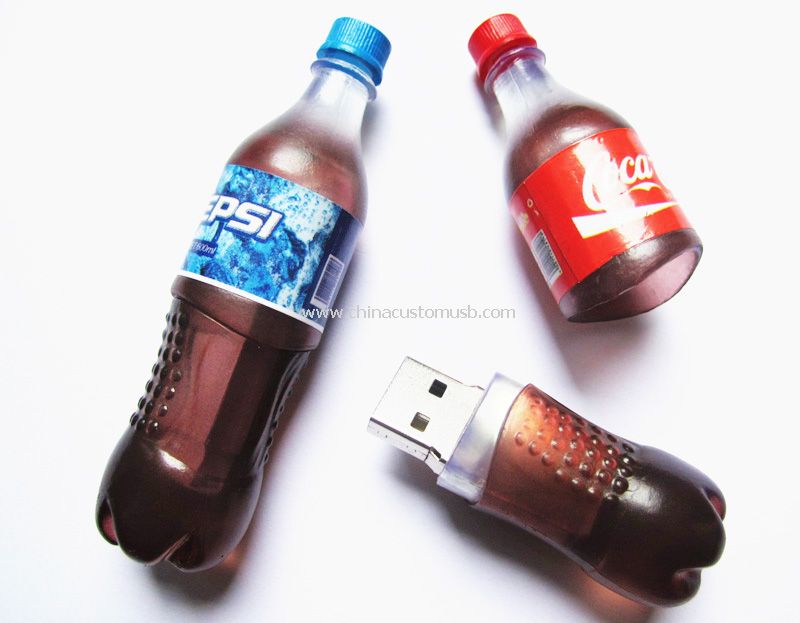
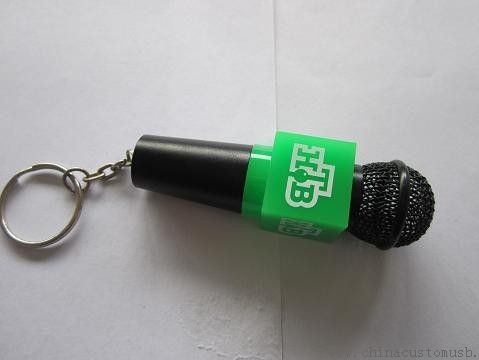
Soft PVC (the moulded, rubberised shapes such as the microphone and bottle forms) is pad print territory. The silicone pad wraps the curve and the ink stays flexible. UV can print a flat face but the cured film can crack when the soft body flexes, and laser melts PVC instead of etching it cleanly while offering no colour contrast to begin with.
Anodised aluminium is laser's natural home: a clean etch, no ink to wear, and no extra tooling. Pad print and UV will adhere if the surface is degreased, but they add a wear layer laser never has. Wood takes a crisp dark laser burn — the cheapest and most common finish — while UV colour soaks into the grain and looks muted, and pad print lets the grain telegraph through the ink.
Artwork that survives the transfer
Line weight is the first thing that fails. Pad print needs a minimum stroke of about 0.25mm; thinner lines fill in or break. Laser needs vector paths and loses detail under roughly 0.2mm. UV tolerates finer lines (about 0.15mm) but text under 6pt reads poorly once it curves around a body.
Colour count is the second. Pad print is spot-colour, so a five-colour logo is five plates and five setups. UV does CMYK in one pass but cannot hit a Pantone spot exactly without a calibration run, and laser is monochrome by nature. Curves and small radii are the third: pad print handles convex curves well but leaves gaps in concave pockets and sharp inside corners where pressure drops; UV needs the head to clear the body height, so deep recesses get no ink; laser tracks the surface but tall relief can shadow the beam.
Two-sided and wrap-around logos: where registration drifts
A logo that crosses a seam or wraps a corner means re-seating the body for a second fixture. Pad print registration between two sides typically drifts 0.3–0.8mm because the body is repositioned by hand or jig — on a 60mm body that is a visible half-millimetre jog at the spine. UV prints each face as a separate pass with the same jig error, but because it is digital the second pass can be nudged in software to compensate if the operator does it. Laser is the most repeatable across sides as a fixed beam path, yet wrap-around art on a round body still distorts geometrically: a straight logo becomes an arc.
Practical rule — keep a wrap-around logo to one continuous face when the body curvature exceeds a radius of about 15mm, or accept that the seam will show a small step. Specifying the print position from a fixed datum (a measured distance from the connector end) rather than "front centre" removes most of the ambiguity.
RFQ wording that keeps the second order identical
The most common cause of "the second batch looks different" is a silently changed brief: a new artwork file, a different mould, or a method swap. Hold the line with a written spec: the exact method (for example "pad print, 2 colours, Pantone 186C + black"), the body material and mould code, the print position measured from a fixed datum, and the approved sample ID from batch one. Ask the supplier to archive the cliché and the colour mix so the reorder pulls the same tooling — a pad-print cliché stored correctly lasts hundreds of thousands of impressions, and a UV profile is a file that should be version-locked. Finally, request a pre-production proof on the actual body material, not a printed paper swatch, because the same logo reads differently on PVC than on aluminium.
Send the artwork file you plan to use and the housing material you are leaning toward, and we will print one sample per method on that body so you can compare colour, edge sharpness and curve coverage before the bulk order.
Need custom USB drives for your next project?
Factory-direct pricing, free digital proof and a 7-day sample turnaround.
Get a free quote