Trade Show USB Giveaways: Choose Capacity and Body by Booth Traffic, Not Unit Price
A trade show giveaway is lost three times, not once. It is not picked up at the booth, then it is picked up and left in a hotel room, then it goes home and never gets plugged in. Unit price does nothing about any of the three, which is why the cheapest drive per piece is often the most expensive campaign you can run.
Three traffic layers in front of one booth
Start from numbers you already own: last year’s badge scans, the number of demo slots your team can actually run per day, and the meeting list your sales lead is working from. Those three figures divide your audience into layers that want different objects.
Walk-by. Hundreds of people pass, most decide in two or three seconds whether to stop. This layer needs an object that reads at arm’s length and a handover that takes four seconds. Almost none of them will ever meet your product, so the drive carries the whole message.
Demo queue. People who waited several minutes to see the thing work. They are already engaged and will accept a heavier, better-finished object, because they have context for it.
Booked meetings. A few dozen conversations, half an hour each. The drive is no longer an advertisement; it is the leave-behind that has to survive the flight home and still make sense in a week. Capacity and preloaded content matter here more than the shape does.
Where the giveaway is lost: three points, three levers
The three losses happen at different moments, and each has a different fix. That is why no single “better drive” decision rescues a campaign: improving the body addresses only the first loss, and cutting the unit price addresses none of them.
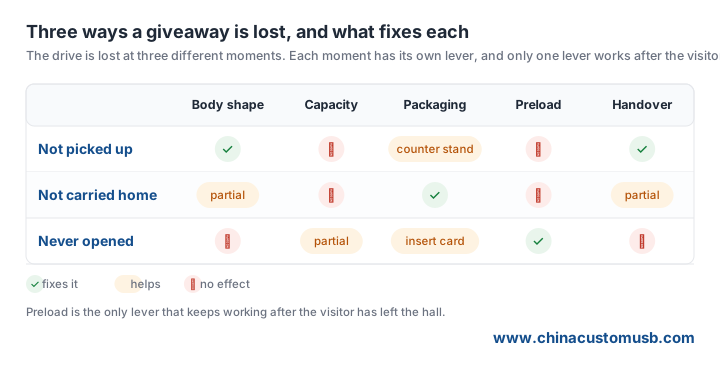
Read the grid by column: preload is the only lever that touches the third row, where most of the money is lost. A drive that arrives home and never gets opened converts nothing, however good the body felt in the hand.
Capacity and body, chosen by layer
Capacity follows what you preload, not what sounds generous. A brand film, a spec sheet and a photo set usually fit inside 8GB with room to spare — 8GB is roughly two hours of 1080p footage at normal camera bitrates. Step up to 16GB or 32GB when you ship software, CAD data or a video library, and accept that the walk-by layer will never look at it.
Speed matters more than headline capacity for the first impression. A visitor who plugs the drive into a press-room laptop judges it by how fast the file opens: a 2GB reel copies in seconds over USB 3.0 and takes long enough over USB 2.0 that people close the window. If your preload is video, spec the faster interface and cut the capacity instead.
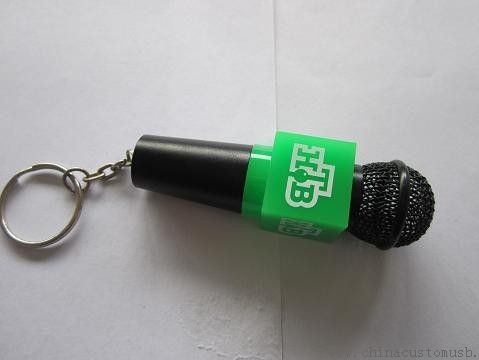
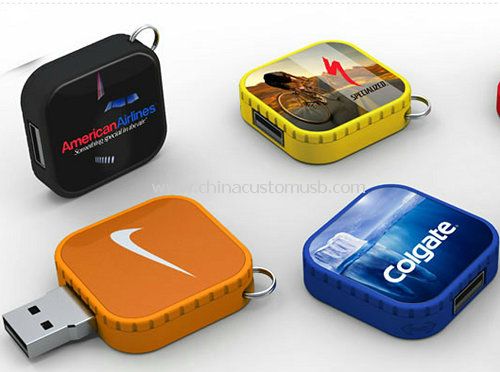
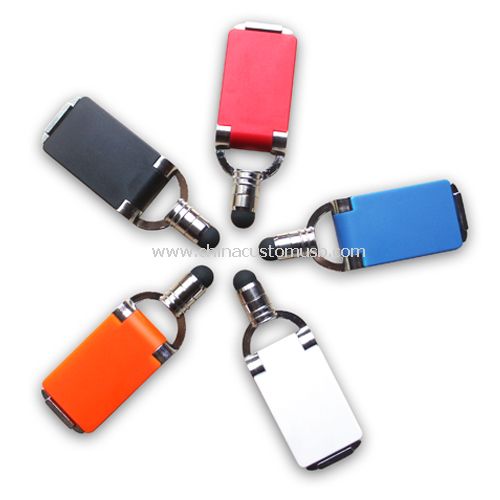
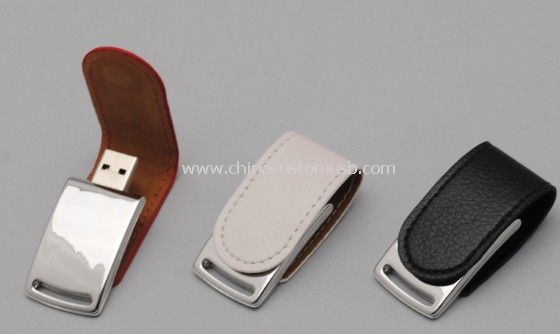
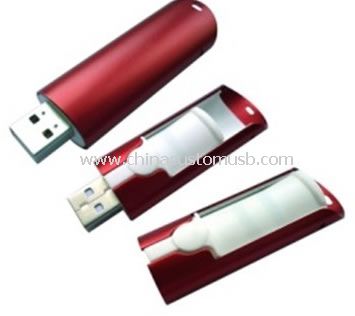
Material is a decision about where the drive lives afterwards. Soft PVC takes detail and colour well, which is why shaped bodies dominate giveaway catalogues, but it softens in heat and picks up dust in a bag — fine on an office desk, poor on a dashboard or in a site van. Metal and ABS survive a toolbox; they cost more and rarely carry a novelty shape. Choose per layer: novelty body for walk-by, metal or ABS for the meeting room.
The handover: how the drive physically changes hands
Most stand traffic is lost in the four seconds around the handover, not in the product. A bowl at the edge of the counter produces a pick-up and no conversation; a drive held behind the counter until someone has watched thirty seconds of the demo produces a conversation and a much better chance the object is kept.
Three fixes. Put the drives in a closed box, not a bowl, so a request is required. Pair the drive with a printed card carrying the same headline as your booth wall — the card survives the bag when the drive goes into a laptop pocket. And give the team one sentence to say while handing it over, because silence at that moment is what makes the object feel like litter.
For the meeting layer, hand over the drive at the end of the conversation and open the box in front of the visitor: a box opened in company is far less likely to be thrown away in the hotel room.
Preload: the only lever that works after the hall
Preloading costs nothing in tooling and is decided weeks before the drives are packed, which is why it gets left to the last minute and then filled with a logo animation nobody opens.
Four rules that hold in practice. Put one obviously named file at the root — a PDF with specs and a contact number beats a folder tree. Keep that PDF small enough to open instantly. Never rely on an autorun launcher: Windows disables AutoRun on removable media and macOS never supported it, so the file has to be findable by a human. And keep any single file under 4GB if the drive ships as FAT32, because that format cannot hold a larger file at all; the same video fits once the drive is formatted exFAT.
Then add one thing that is not marketing: a plain text file with the sales contact, the show name and the date. It is what gets opened when someone finds the drive in a drawer six weeks later and cannot remember which booth it came from.
Build the timeline backwards from the show date
Orders for dated events fail on the artwork deadline, not on the ship date. Work backwards from the first day of the show and place four dates on the calendar before you approve anything.
First, the preload freeze: every file has to be final before packing, so a video still in edit blocks the whole order. Second, sample sign-off: the physical sample must be in your hand with time left for one correction round, because a colour that looked right on screen is the most common change. Third, production and freight: ask for the production window in writing, then add the transit mode you can afford — air for a late decision, sea only if the show is far enough out. Fourth, a buffer week for customs and any reprint.
If those four dates do not fit, cut scope rather than compress the schedule. A stock body with excellent preload beats a custom shape that arrives the day after the show opens. Ask which line is movable, and move the shape, not the deadline.
Send your show date, the booth traffic you expect and the file you want preloaded. We will quote two configurations — one for walk-by volume, one for the meeting room — and ship samples for sign-off.
Need custom USB drives for your next project?
Factory-direct pricing, free digital proof and a 7-day sample turnaround.
Get a free quote